5 Checkeeper Features To Try This Fall
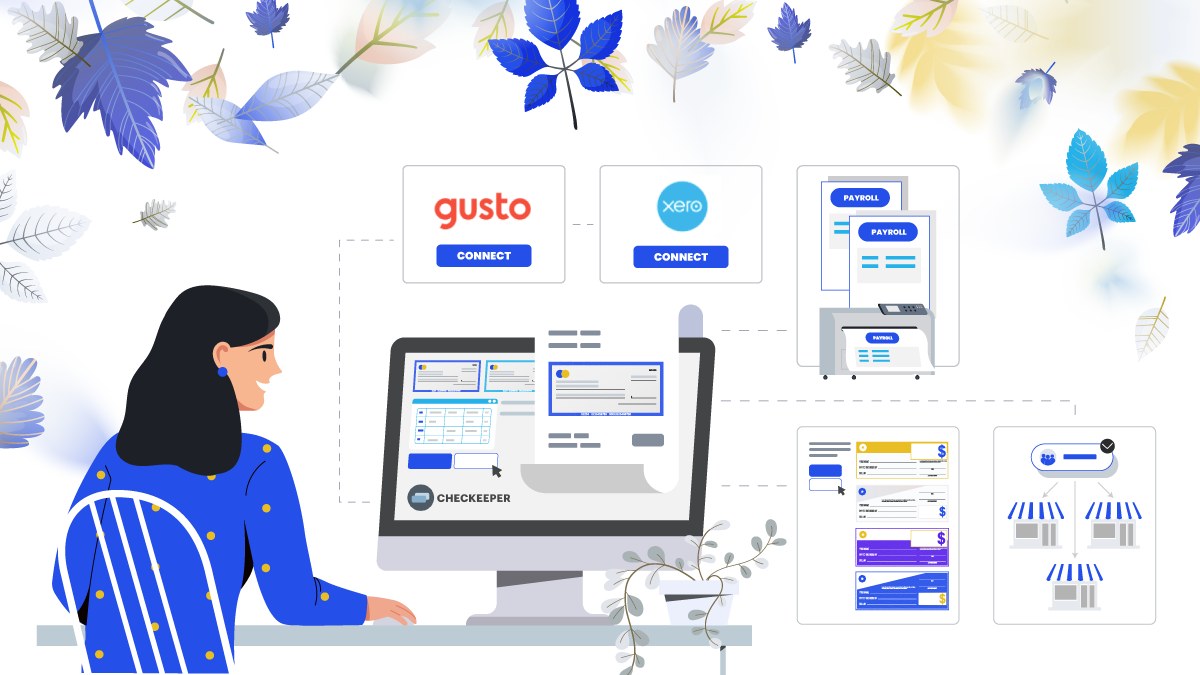
Checkeeper is always updating its services to offer the top of the line in online check printing and mailing. While you’re getting your business ready for the coming fall, consider some key Checkeeper features to try out:
1. Gusto for payroll
Checkeeper makes issuing paychecks a simpler process than ever before. Checkeeper can work as a stand-alone service for all your business’s payroll needs; it can also work compatibly with the widely-used Gusto to add a custom check option. Payment data is synced automatically, reducing the need for multiple data entries and the possibility of error or neglect. Gusto users can adopt Checkeeper services for those employees who choose to be paid by paper check.
2. Connect with Xero for bill-to-check conversion options
Checkeeper integrates with many widely-used software services commonly used for issuing and managing business payments. Xero users can now link their accounts with Checkeeper to have unpaid invoices converted directly into check payments for fast, accurate processing. Have the data from a bill transferred into Checkeeper, and a payment check can be automatically generated with all the check fields filled in. Payments due to the same vendor can be consolidated into a single check payment with an attached invoice table that breaks down the total. Checkeeper’s bill-to-check conversion also works with Odoo, streamlining the bill-paying process while also reducing paperwork and enhancing accuracy.
3. Batch printing for overnight payroll mailing
Checkeepers who don’t use an online software for payroll appreciate how easy Checkeeper makes it to get printed paychecks in the hands of employees when needed. Order your batch of payroll checks to be printed by Checkeeper and then sent back to your office via Next-Day Air for onsite distribution. Checkeeper can print the entire batch of paychecks, along with the accompanying pay stubs, and have them all back at the office the next day in one economical bundle. Checkeeper’s payroll offerings save business owners time creating paychecks, and they keep all the paycheck data automatically recorded and stored for you in your online registry for later searching and reporting. Checkeeper offers complete check printing and mailing services to take a lot of work off the desks of busy professionals.
4. New check templates and designs
Checkeeper offers a variety of check templates to select from, as well as the option to upload your own. Every check template is customizable to suit each user’s unique preferences and specific bookkeeping needs, so there is no reason to get locked into one standard or tired design. Change your check’s look, resize or update the logo, and add a custom check element, like customer ID or invoice number, if it aids your own bookkeeping and payment-tracking process. Checkeeper is versatile and offers several templates to try out before deciding on the right one.
5. Add a secondary business
Busy owners and bookkeepers who run more than one business, operate a secondary revenue stream, or issue payments for multiple clients at once, all appreciate how easy it is to add secondary and tertiary businesses to a single Checkeeper account. Using the same account login credentials, and operating from the same navigation page, users can toggle through all their businesses to create checks and still keep payment records separate. Add the name and business address of a secondary business inside your account administration page, and start issuing custom checks right away. Each added business incurs its own separate subscription and comes with all the features of unlimited check printing, including its own saved check templates, printing and mailing settings, uploaded logos and design images, linked checking accounts, user permission settings, and designated software add-ons. Most importantly, each business added to Checkeeper attains its own online check registry so that all data and records are kept completely separate from other business spending. Run reports for each of your businesses at the end of the month or quarter, or run individual reports for custom time frames whenever needed. Search the registries separately when you need to track down a payment without having to sort through ledgers and registries manually, trying to identify which payments were for which business. Checkeeper makes it easy to manage payments for multiple businesses simultaneously with consolidated account access that keeps organized records for users automatically.